Unlocking Success with the Power of HubSpot CRM Training
In today’s fast-paced digital landscape, managing customer relationships is a key driver of business success. HubSpot CRM has emerged as a powerful tool to streamline this process, providing businesses with a centralized platform for customer interactions. In this blog post, we’ll delve into the significance of HubSpot CRM training and shed light on how SkillUp Arissa is revolutionizing professional development in this domain.
The Importance of HubSpot CRM Training
Unlocking the power of HubSpot CRM through training isn’t just a choice; it’s the key to unleashing the full potential of your business strategy.
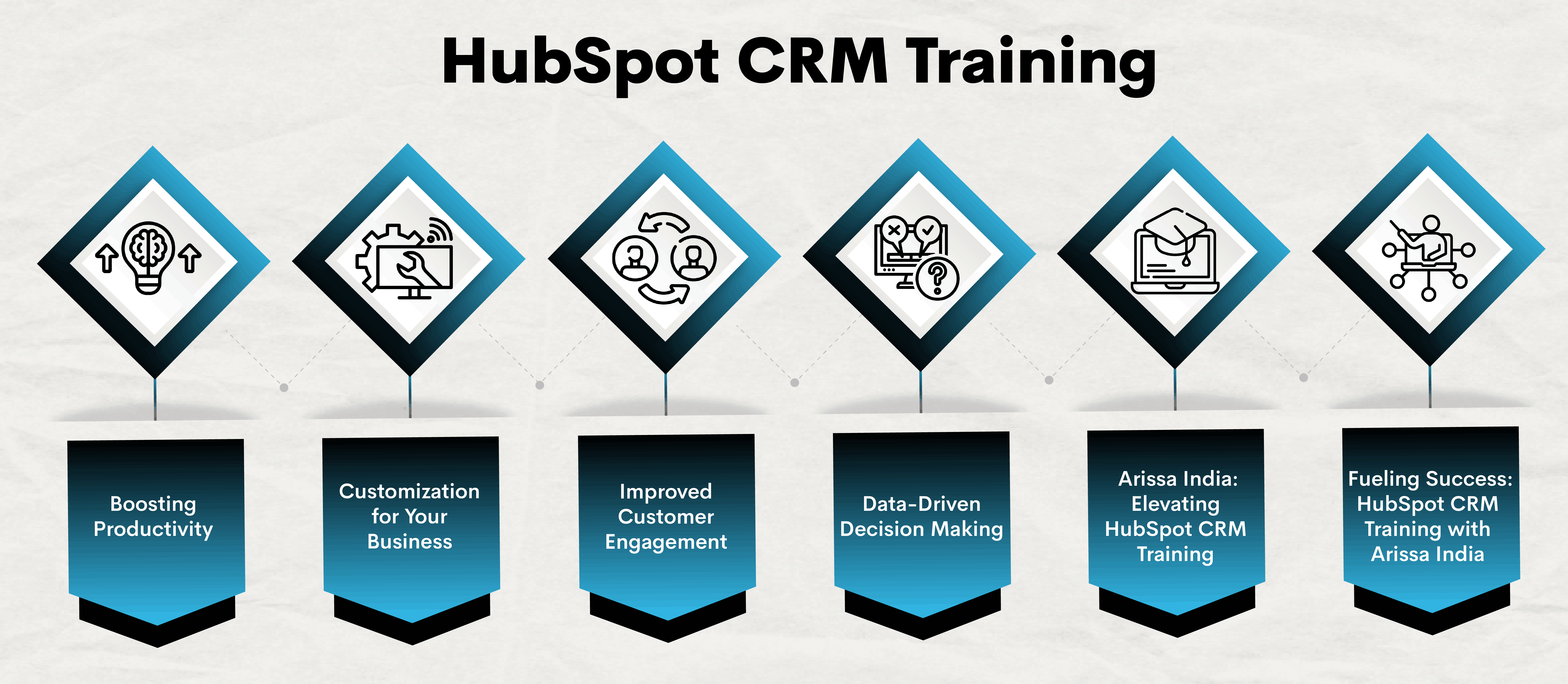
Boosting Productivity:
HubSpot CRM offers myriad features to enhance productivity, from contact and lead management to email automation. However, without proper training, these features might go underutilized. Skillful training ensures that your team is equipped to leverage the full potential of HubSpot CRM, boosting overall productivity.
Customization for Your Business:
Every business is unique, and HubSpot CRM can be tailored to meet specific needs. Training sessions guide users on customizing the platform to align with their business processes, ensuring that they get the most out of the CRM system.
Improved Customer Engagement:
HubSpot CRM facilitates seamless communication with customers. Training is instrumental in imparting advanced knowledge to your team, enabling them to proficiently utilize the platform for lead nurturing, sending personalized communications, and monitoring interactions. This leads to improved customer engagement and, ultimately, higher customer satisfaction.
Data-Driven Decision Making:
HubSpot CRM provides valuable insights through analytics and reporting. Training sessions teach users how to interpret these data points, enabling informed decision-making. This data-driven approach is crucial for staying ahead in today’s competitive business environment.
SkillUp Arissa: Elevating HubSpot CRM Training:
Enter SkillUp Arissa, a trailblazer in professional development. This dynamic organization understands the evolving needs of businesses and individuals in the digital era. Here’s how SkillUp Arissa stands out in the realm of HubSpot CRM training:
Expert Trainers:
SkillUp Arissa boasts a team of seasoned professionals with extensive experience in using HubSpot CRM. Their trainers bring real-world insights and practical knowledge to the training sessions, ensuring participants gain hands-on expertise.
Comprehensive Curriculum:
The training curriculum at SkillUp Arissa is meticulously crafted to cover every aspect of HubSpot CRM. Participants undergo a thorough learning experience, covering fundamental concepts to advanced features, to acquire the skills necessary for success in their respective roles.
Interactive Learning Environment:
SkillUp Arissa believes in the power of interactive learning. The training sessions are crafted to captivate participants through interactive exercises and authentic situations, enabling them to implement their knowledge within a simulated business setting.
Fueling Success: HubSpot CRM Training with SkillUp Arissa
Investing in HubSpot CRM training is an investment in the future success of your business. SkillUp Arissa stands out as a guiding light in the realm of training, offering a revolutionary learning journey for both individuals and organizations aiming to unlock the complete capabilities of HubSpot CRM. Equip your team with the skills they need to thrive in the digital age and propel your business to new heights with the winning combination of HubSpot CRM and SkillUp Arissa.
Learn HubSpot CRM from Scratch: A Comprehensive Guide
Embark on a profound and enriching journey as we expertly navigate you through the process of mastering HubSpot CRM, starting from the very basics, in this all-encompassing guide. Whether you’re a beginner eager to grasp the fundamentals or a seasoned user looking to refine your skills, our comprehensive approach ensures you master each aspect of HubSpot CRM.
From setting up your account to optimizing workflows, this guide is your key to unlocking the full potential of HubSpot CRM. Prepare to transform your customer relationship management and take your business to unprecedented levels of success.
Learn HubSpot CRM from Scratch: Step-by-Step Learning Path
Navigate the intricate landscape of HubSpot CRM with our step-by-step learning path designed for individuals starting from scratch. This learning journey is crafted to provide a clear and structured approach, ensuring that each step builds upon the last. Explore the intuitive dashboard, master contacts and deals, and seamlessly integrate marketing and sales efforts.
This step-by-step guide empowers you to progress at your own pace, making the complex world of HubSpot CRM accessible and easy to grasp. Embark on this learning path and transform into a proficient HubSpot CRM user, ready to take on any challenge in the realm of customer relationship management.
Understanding HubSpot CRM
HubSpot CRM transcends being a mere instrument; it is a transformative force for enterprises seeking to optimize and simplify their operational workflows. Learn the core concepts, from setting up your account to understanding the dashboard. We’ll demystify terminology and lay the foundation for your CRM journey.
Navigating the Dashboard
Unlock the power of HubSpot CRM’s intuitive dashboard. From contacts and companies to deals and tasks, we’ll guide you through each section, ensuring you maximize the potential of every feature. Discover how to customize views and set up your workspace for optimal efficiency.
Managing Contacts and Companies
A successful CRM strategy begins with managing contacts and companies effectively. Learn how to import, organize, and update your database. We’ll delve into segmentation, ensuring you can target the right audience with personalized communication.
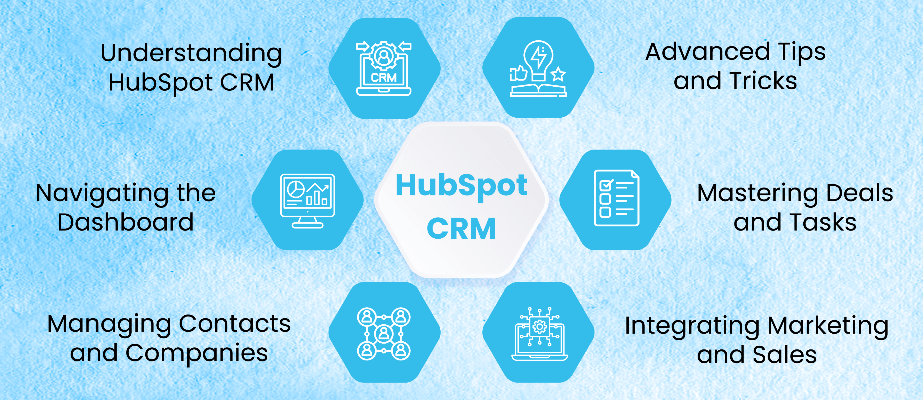
Mastering Deals and Tasks
Streamline your sales process by mastering the art of deals and tasks. We’ll guide you through creating deals, setting milestones, and managing tasks efficiently. Prepare to optimize your sales funnel and foster increased teamwork among your team members.
Integrating Marketing and Sales
HubSpot CRM seamlessly integrates with marketing tools, creating a unified ecosystem. Explore the integration of marketing and sales efforts, ensuring a cohesive strategy. To refine your approach, we’ll cover lead nurturing, email campaigns, and analytics.
Advanced Tips and Tricks
Ready to take your HubSpot CRM skills to the next level? Dive into advanced tips and tricks that will set you apart. From automation workflows to reporting and analytics, we’ll empower you with insights to optimize your CRM strategy.
Unlock Success: Master HubSpot CRM with Arissa India!
Embark on a transformative journey to master HubSpot CRM with Arissa India. Whether you’re a beginner or a seasoned user, our comprehensive guide covers setup to advanced tips. The step-by-step learning path ensures a structured approach, preparing you for success in customer relationship management. Elevate your skills and business with Arissa India’s HubSpot CRM course. Enroll today!
HubSpot Account Creation: Start Your HubSpot Journey
HubSpot is a robust customer relationship management platform that is a one-stop destination for marketing, sales, content management, marketing automation, sales automation and customer service. HubSpot is renowned for its integration capabilities, scalability, and user-friendly interface.
HubSpot Account Creation: How to Create a HubSpot Account?
Multiple ways are available to create a HubSpot account. By creating a HubSpot account, one would also be able to invite their team and customize the settings for their account.One of the most opted ways to create a HubSpot account is by entering your name and email ID. Google login and Apple ID can also be used. While using Apple ID, it is crucial to ensure the device is iOS 14 or later, and the Apple ID uses two-factor authentication.
Two-factor authentication can be used to secure the account. After account creation, the free services of HubSpot are available for use.
Creating a HubSpot Account Using Name and Password
- Open https://www.hubspot.com/.
- Click on “Get Started for Free” or something similar.
- Enter Your Basic Information, including your name, email address, company name, and other relevant details.
- Create a strong password for your account. Follow any password strength requirements provided by the platform.
- Choose the type of HubSpot account that best suits your needs. HubSpot offers different hubs, such as Marketing Hub, Sales Hub, and Service Hub. Select the one that aligns with your business requirements.
- Depending on the registration process, you may have the option to customize your HubSpot URL.
- Specify your business’s time zone and currency.
- Review and agree to HubSpot’s terms and conditions.
- HubSpot may send a verification email to the address you provided. Check your email inbox for the mail and verify your email address.
After completing the registration process, you may be redirected to your HubSpot dashboard. Take some time to explore the dashboard and familiarize yourself with the tools and features available.
Creating a HubSpot Account Using Google Login
- Navigate to https://www.hubspot.com/.
- Select “Get Started for Free” or a similar call-to-action
- Click the “Sign up with Google” option.
- Grant permission for HubSpot to access your Google account information.
- Review and agree to HubSpot’s terms and conditions.
- HubSpot may require email verification. Check your email inbox for the mail and verify your email address.
Once your registration is complete, you may be redirected to your HubSpot dashboard. Take some time to explore the dashboard and familiarize yourself with the tools and features available.
Creating a new HubSpot account using your Apple ID
- Open the HubSpot mobile app on your device.
- Select Sign up.
- Click Sign up with Apple.
- Enter your email and name.
- Click Share My email to utilize your Apple ID as your HubSpot user email address.
- Click Hide My Email to use an Apple-generated email address.
- Press “Continue.”
- Enter your information and select Create.
You may now use your Apple ID to log into the HubSpot mobile app. Log in to the HubSpot mobile app using Apple ID on other Apple devices.
Troubleshoot Login Issues
If you are unable to log in to HubSpot, follow these troubleshooting steps:
- Ensure HubSpot supports your browser.
- Clear cache and cookies in your browser and try again.
- Use an email address connected to HubSpot if you have multiple email addresses.
- Enable third-party cookies in your browser settings.
Conclusion
HubSpot is a customer relationship management platform offering various sales, marketing, content management, and customer service features. Users can enter their name, email ID, Google login, or Apple ID to create an account. To use an Apple ID, users must have iOS 14 or later and use two-factor authentication. After registering, users can customize their HubSpot account settings, choose a hub, and access their dashboard. If unable to log in, troubleshoot by ensuring HubSpot supports your browser, clearing cache and cookies, using an email address, and enabling third-party cookies.
Furthermore, for individuals keen to master HubSpot CRM, Arissa India offers courses designed to enhance skills for both beginners and pros.
HubSpot User Permissions: A Guide for Beginners and Pros
Based on the roles assigned to users, HubSpot provides a flexible user permission system that allows organizations to control access and actions within the platform.
HubSpot User Permissions: A Guide for HubSpot Users
Users of HubSpot using the Add & Edit Users permissions feature can modify the permissions granted to both new and existing users within their HubSpot account. The user needs to have Modify billing permissions to customize permissions for a user with a paid seat.
Additionally, you can assign particular users access to content and restrict edit access to properties.
CRM
Set permissions for CRM objects and tools on the CRM tab.
Object Access
Objects and activities the user can view, edit or delete can be customized. Users can manage their view of contacts, companies, deals, tickets, tasks, notes, invoices, and custom objects by selecting from Everything, Team only, and Owned only.
CRM Tools
The HubSpot platform allows users to customize access to bulk actions, property settings, and workflows. Users can delete, edit, or view workflows, control contacts, companies, deals, tickets, and tasks, import and export data, edit property settings, customize middle column layout, create and publish chatflows, and create custom views. These features are available for both Professional and Enterprise users.
Marketing
To set permissions for marketing publishing tools, navigate to the Marketing tab. Users can access forms, lists, files, and marketing access. Forms require Account Access permission for creating and connecting channels, while lists allow users to add, edit, and delete records. Marketing Access allows access to marketing tools.
Marketing Tools
To access marketing tools, users must have access to ads, campaigns, email, CTA, social publishing, and content staging. They must have at least View, View, and Website settings permissions to Unbounce contacts, configure email footer and styling settings, and publish and send marketing emails. Users can also control social accounts and access content staging.
Website Tools
Users can access various website tools, including blogs, landing pages, website pages, SEO tools, HubDB (CMS Hub only), URL redirects, and Design tools. They can create, edit, or view content without publishing or updating live posts or pages. Users must have Edit or Publish access for CTAs, SEO tool updates, and access to Global content settings and Website settings.
Sales
The Sales tab allows users to set granular permissions and restrictions for sales tools, such as products and templates, and assign paid Sales Hub seats. Users can manage the product library, create custom line items, access sales templates, snippets, documents, calls, and meetings, and connect their personal email. Templates can be created, edited, and deleted, and other scheduling pages can be created.
Sales Starter/Professional/Enterprise allows users to access sales tools available for their seat. Users can customize Edit and View access to the sales forecast tool and revenue goals. Users with Owned-only view permissions can view their own goals and forecasts, while Team-only view permissions allow them to view their own goals and forecasts.
Users can also publish or edit playbooks, sequences, bulk enroll sequences, and view prospecting as another user. For US-based companies using the payments tool, users can customize access for front and back-office teams by managing payment links, subscriptions, and transaction history.
Services
The Services tab allows users to set granular permissions for HubSpot’s service tools. Users can toggle Service Access to access the tools, edit customer feedback surveys, publish or edit knowledge base articles, create, edit, and delete templates, create scheduling pages for others, assign Service Starter/Professional/Enterprise seats, publish or edit playbooks, create and edit sequences, and remove bulk enroll sequences.
Users with Account Access permissions can edit a user’s Publish and Edit permissions for playbooks. By default, bulk enroll sequences are enabled for Sales Hub Professional and Enterprise users but can be turned off to limit enrollment to one contact at a time.
Reports
The Reports tab allows users to create, edit, and view dashboards, reports, and analytics tools. Users can toggle the Data quality tools access switch to allow non-super admins to monitor and clean data quality issues. The Reports access switch allows users to access reporting tools, including dashboards, reports, and analytics tools.
Users can create, edit, or view dashboards, reports, and analytics tools. Goals can be controlled through the View and Edit dropdown menus. Users can also view pre-built datasets and create new datasets for custom reports.
Conclusion
HubSpot offers a flexible user permission system that allows organizations to control access and actions within the platform. Users can modify permissions for new and existing users, assign specific users access to content, and restrict edit access to properties. The platform allows users to customize access to CRM objects, CRM tools, marketing publishing tools, website tools, sales tools, services, and reports.
Users can also manage their sales tools, assign paid seats, and customize their access to sales forecast tools and revenue goals. The Reports tab allows users to create, edit, and view dashboards, reports, and analytics tools, with the ability to control goals and create new datasets for custom reports.
Discover more about HubSpot CRM on SkillUp Arissa India. Find courses designed to hone your skills.
HubSpot Two-Factor Authentication: Securing HubSpot Account
Logging into HubSpot typically requires a username and password. With two-factor authentication (2FA), a separate device like a mobile phone is used for verification, reducing the risks of intruders gaining access to your account, as it requires physical device access.
HubSpot Two-Factor Authentication: Set Up & Secure
HubSpot offers two-factor authentication methods to prevent account loss due to the loss of a 2FA device. If you lose your 2FA device and don’t have secondary methods, you can reset it within 48-72 hours. 2FA can be enabled through your HubSpot account or Sign-In with Google, SMS text messages, or an authenticator app like Google Authenticator, Microsoft Authenticator, or Duo. It can also be set up using the HubSpot mobile app. 2FA is required for all HubSpot Starter, Enterprise, and professional accounts, and for free tools accounts, a super admin or permission to edit account defaults is required.
To secure your HubSpot account, use primary and secondary 2FA login methods with backup codes for recovery. Use your HubSpot email and password for Office 365 integration.
Turn on Two-Factor Authentication for Your Login
To set up two-factor authentication in HubSpot, go to the settings icon, click Security, and select Two-factor authentication (2FA). If using a third-party security app, select the appropriate option. If using the HubSpot mobile app, download the latest version. After setting up 2FA, download ten backup verification codes and save them in a secured location. Adjust the frequency of 2FA prompts by clicking Remember me or Ask for 2FA every time.
Set Up a Secondary Method
To set up a secondary two-factor authentication method in HubSpot, follow these steps:
- Go to the settings icon in the main navigation bar.
- Click Security.
- Choose a secondary method of 2FA text messages or a third-party security app in the Two-factor authentication section. If 2FA text messages are chosen, set up a trusted phone number.
- Enter a six-digit code and click Next.
- To complete the secondary method, follow the on-screen instructions.
Turn Off Two-Factor Authentication for Your Login
To turn off two-factor authentication in your HubSpot account, go to the Security settings, click Security, and select Remove Primary and Secondary methods. Enter the 2FA code, use a backup code, or reset if needed. Turn off 2FA to access your account.
Require Two-Factor Authentication for All Users
To require two-factor authentication in your HubSpot account, tap the settings icon in the main navigation bar, navigate to Account Defaults, and select the Security tab. Click the Require Two-Factor Authentication (2FA) checkbox and click Yes. The requirement will only take effect after 24 hours, and users will receive an email and in-app notification to set up their two-factor authentication method. Users can do so via email or notification without setting up their method.
Reset Your Two-Factor Authentication
If you lose your two-factor authentication (2FA) device, uninstall the HubSpot app, change your device, or cannot access your 2FA method, you must reset your 2FA. A 2FA reset takes 48-72 hours to protect your account from bad actors. To ensure access, set up both primary and secondary 2FA methods and save backup codes as a PDF.
To request a 2FA reset, enter your credentials on the HubSpot login screen. If you cannot access your 2FA method, click on “lost device,” “call me for the code,” “lost your authentication device?” or “Don’t see the login prompt?” Click on “New device,” “Lost device,” or “Uninstalled device.”
If you no longer have the original device, have a new device, or have uninstalled the authenticator app, If you are on a single account with super admins, one of your super admins will receive an email to begin the reset process. If you are the only administrator, you will be prompted to send an email with further verification instructions. Account access is granted once the super admin or support team resets your 2FA.
Conclusion
HubSpot offers two-factor authentication (2FA) to protect your account from intruders. This method requires a separate device like a mobile phone for verification, reducing the risk of account loss. To set up 2FA, go to the settings icon, select Security, and download ten backup verification codes.
To set up a secondary method, choose a 2FA text message or third-party security app and enter a six-digit code. To turn off 2FA, go to the Security settings, select Security, and enter the 2FA code, backup codes, or reset if needed.
Learn more about HubSpot’s different features, tools and automation with SkillUp Arissa India’s specialized courses to gain proficiency in handling HubSpot.